 Rimless Works

MuscleMemo
Log your lifts in 3 taps
A workout log focused purely on recording. During your rest period, pick the exercise, enter weight and reps, and save. Last session's numbers are already filled in, so you only change what moved.

Screens
What it does
-
Three taps per set
Pick the exercise, enter weight and reps, save. Each set is stored as you go.
-
Last session, pre-filled
Selecting an exercise fills in the weight and reps from last time. Change only what is different.
-
Estimated 1RM
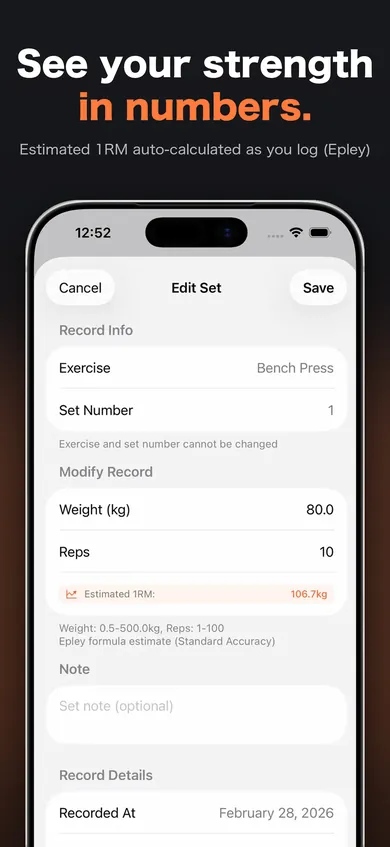
As you type, MuscleMemo estimates your one-rep max using the Epley formula.
-
See the days add up
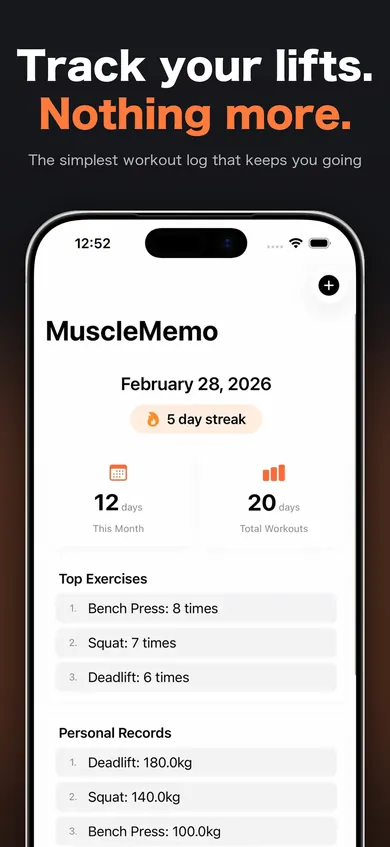
Your streak, workouts this month, total training days, most-used exercises and top personal records are on the home screen.
-
42 exercises, plus your own
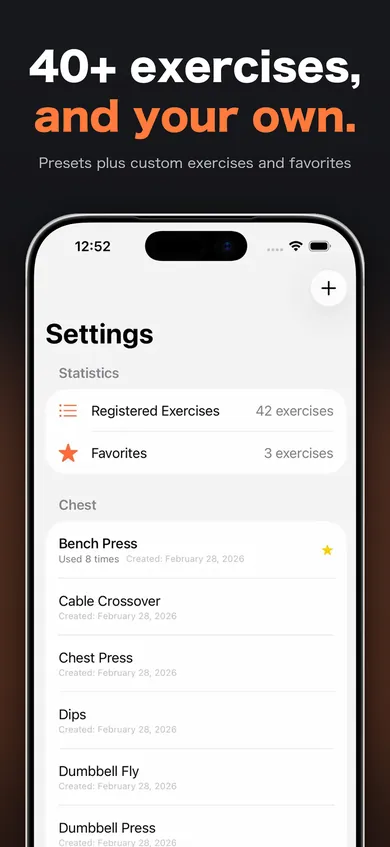
42 presets across chest, back, legs, shoulders, arms and other — and you can add your own.
Pricing
The app is free and shows ads.
Remove Ads is a one-time in-app purchase. Once bought, ads no longer appear, and nothing renews or charges you automatically.
The price is shown on the App Store product page and on the purchase screen in the app.
Privacy
Your workout records are stored on this iPhone only. There is no account.
Unless you have bought Remove Ads, the app connects to Google AdMob to show ads. You will be asked whether to allow tracking for advertising; declining does not limit any feature.
MuscleMemo does not connect to Apple Health (HealthKit).
Requirements
| Devices | iPhone and iPad |
|---|---|
| Requires | iOS 17.0 or later |
| Languages | Japanese, English, Chinese (Simplified and Traditional) and Korean |
FAQ
- How is the 1RM estimated?
- With the Epley formula (weight × (1 + reps ÷ 30)). It is an estimate, not a guarantee of what you can lift.
- Can I move my records to a new iPhone?
- Records are stored only on this device, so they cannot be transferred.
- I bought Remove Ads but still see ads
- Try Restore Purchases in Settings. You need to be signed in with the same Apple Account you bought it with.
Links
For questions about an app or to report a problem, use the app's support page or email us.
Apple, the Apple logo, iPhone and iPad are trademarks of Apple Inc., registered in the U.S. and other countries. App Store is a service mark of Apple Inc.